
ZooKeep provides three types of notifications.
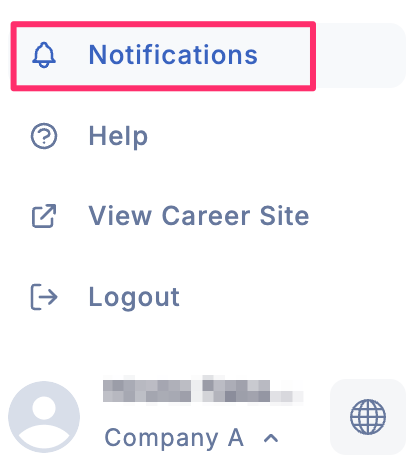
- In-app notifications: These are notifications received within the ZooKeep system. You can check the notification history by clicking the bell-shaped icon in the navigation bar on the left side of the screen.
-
Email notifications: System-generated messages that are delivered directly to your email inbox.
-
Slack notifications: System-generated messages that are delivered to your Slack workspace.
💡 To receive Slack notifications, you need to integrate ZooKeep with Slack. Integrate with Slack
How to Change Notification Settings
By default, both email and Slack notifications are enabled for all activities. However, you can edit your email notification settings to receive only the notifications you need.
- Click the Settings icon in the left of the screen: Access the Settings
- In the left sidebar, select Notifications, then toggle the checkboxes under Email Notifications on or off as needed.
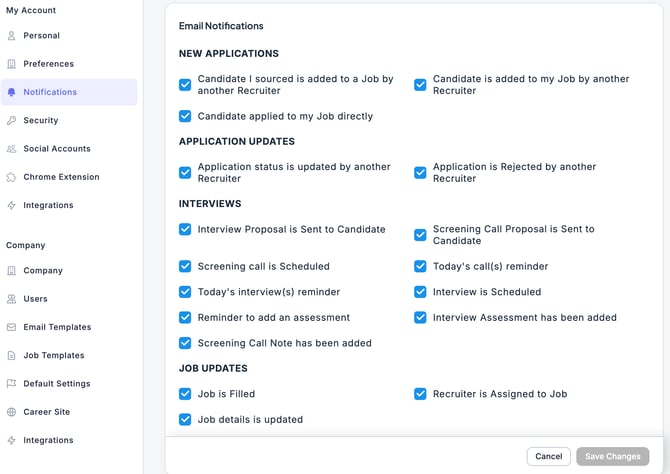
- Once you have finished configuring the settings, click the Save Changes button.
💡 If you want notifications to be sent only by email or only by Slack, turn off all settings for the other option.
These settings do not affect in-app notifications.
All items will always be received as in-app notifications.