
In the Jobs section and on each job’s Applications page, you can use filters to narrow down the displayed results.
Filter Jobs
At the top of the Jobs section, you can filter jobs by Status, Tags, and Skills.
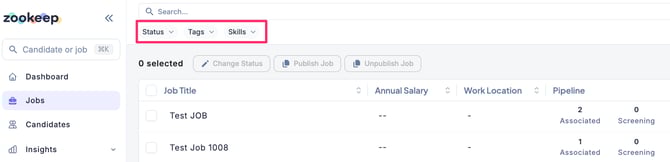
■ Filter by Status
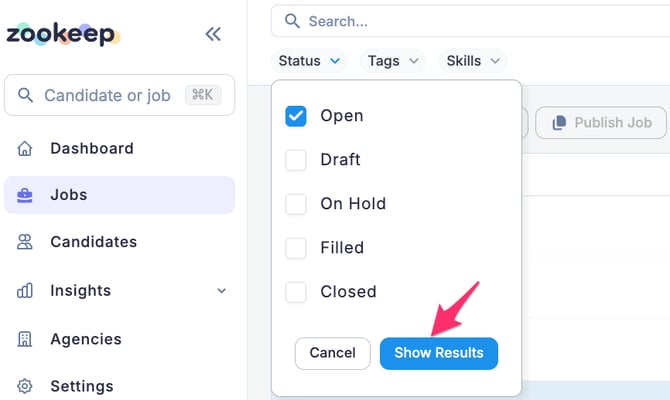
Select the job status you want to filter by, check the box, and click “Show Results” to display the filtered jobs.
To clear the filter, click “Reset”, then click “Show Results” again.
■ Filter by Tags or Skills
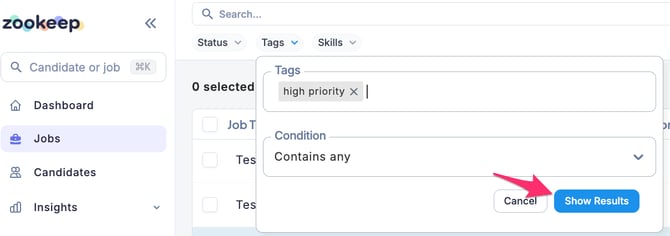
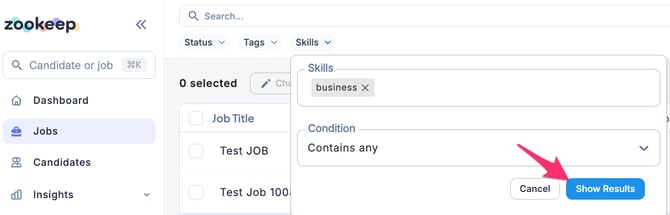
Select the tags or skills already assigned to jobs, choose a search condition, and click “Show Results.”
Jobs that match the selected conditions will be displayed.
You can choose from the following search conditions :
-
[Tags/Skills] Contains any
-
[Tags/Skills] Contains all
-
[Tags] Does not contain any
-
[Tags] Does not contain all
To clear the filter, click “Reset”, then click “Show Results” again.
Filter Applications
Within each job’s Applications page, you can filter applications by Stage, Status, Score, Candidate, and Tags.
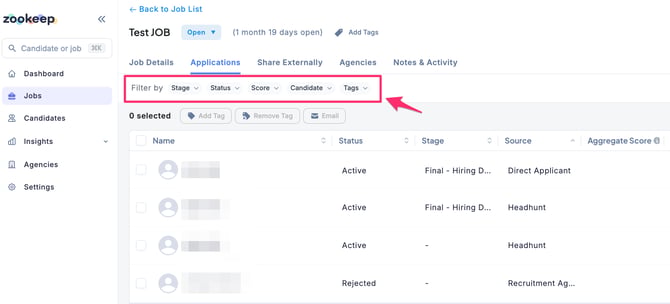
■ Filter by Stage
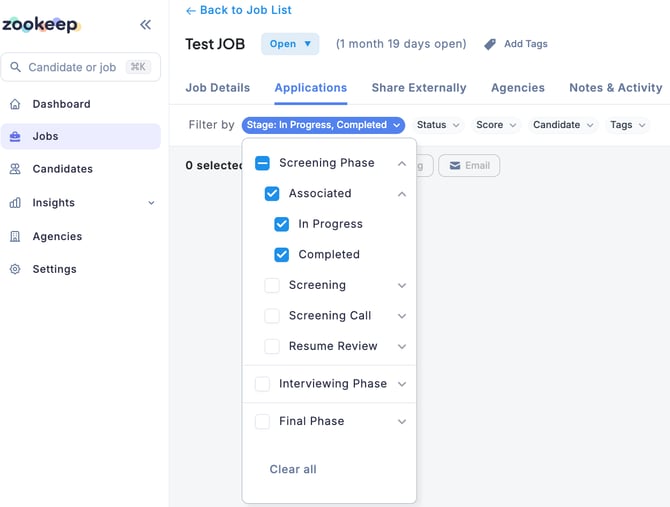
You can filter applications by selecting one or more of the following phases:
-
Screening Phase
-
Interviewing Phase
-
Final Phase
To set more detailed conditions, click the down arrow next to each phase to expand and select specific stages.
■ Filter by Status
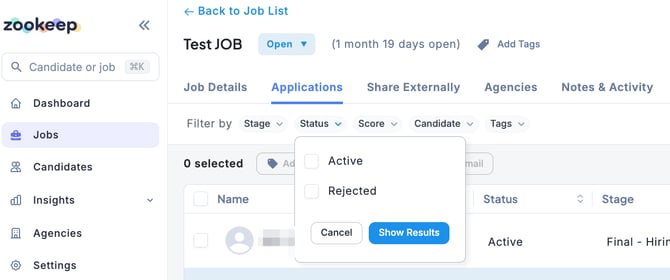
You can filter applications by status:
-
Active
-
Rejected
Check the desired status and click “Show Results” to display the results.
To clear the filter, click “Reset”, then click “Show Results” again.
■ Filter by Score
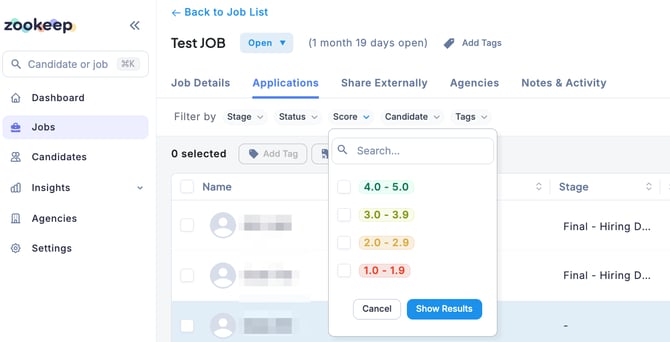
You can filter applications based on interview evaluation scores that have already been submitted.
Select the desired score criteria and click “Show Results” to display the results.
To clear the filter, click “Reset”, then click “Show Results” again.
■ Filter by Candidate
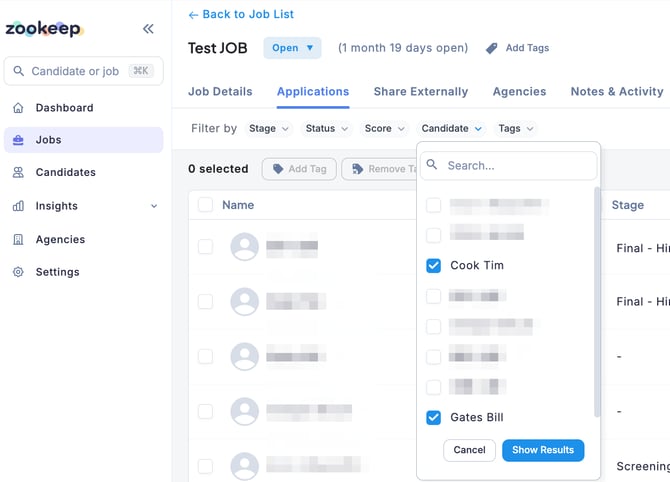
You can filter applications by selecting from the names of candidates already registered for the job.
Select the relevant candidate and click “Show Results” to display matching applications.
To clear the filter, click “Reset”, then click “Show Results” again.
■ Filter by Tags
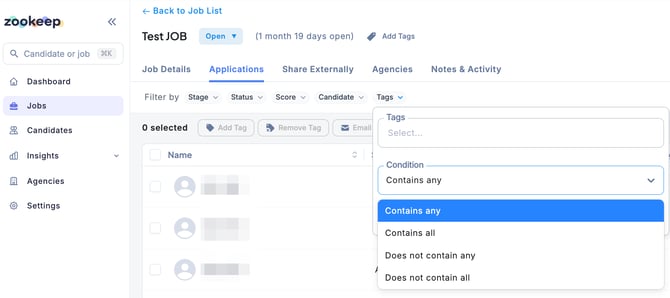
You can filter applications based on tags assigned to candidates for the job.
Select the search condition from the following options:
-
Contains any
-
Contains all
-
Does not contain any
-
Does not cintain all
After specifying the conditions, click “Show Results” to display the matching applications.
To clear the filter, click “Reset”, then click “Show Results” again.