
With ZooKeep, you can receive notifications in Slack. To enable this, you must first configure the Slack integration settings.
-
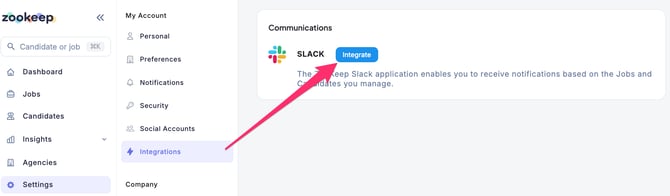
Click Settings (gear icon) on the left side of the screen to access the Settings.
-
In the left sidebar, open Integrations under My Account, then click the Integrate button for Slack.
- Once the integration is complete, the ZooKeep app will be added to Slack, and you will see a confirmation message.
💡 To disconnect Slack integration, go to the Integrations screen and click Remove.