
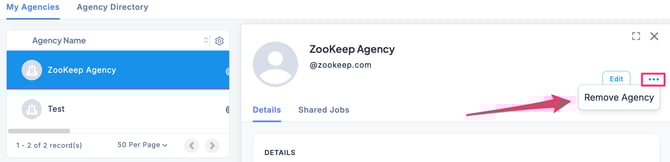
- In the Agencies section, go to My Agencies, select the desired agency, click the “…” menu, and choose Remove Agency.
- When the Remove from My Agencies screen appears, click Confirm Remove.
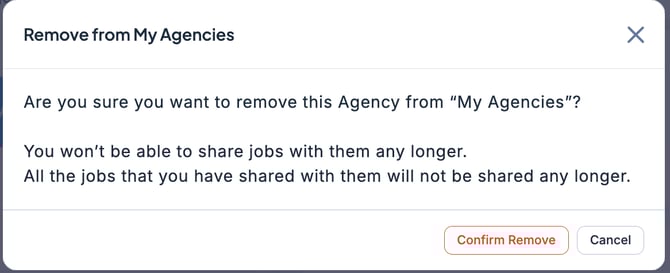
🚨 When an agency is removed from My Agencies, all Job shares with that agency will also be revoked.