- Open the new message composition screen.
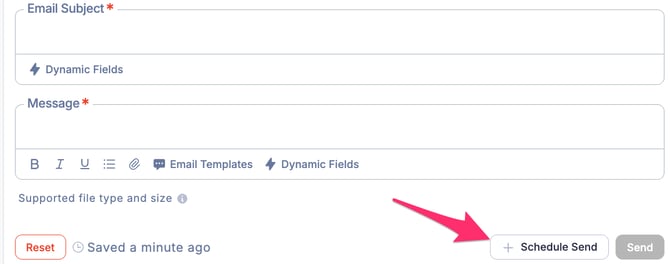
- At the bottom of the New Email screen, click Schedule Send.
- Set the desired date and time for sending, then click the Schedule button.
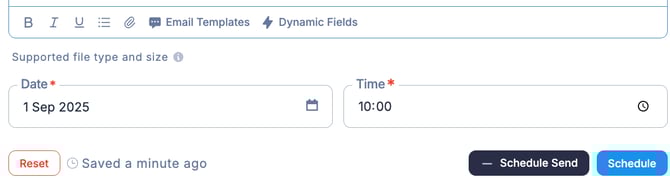
- The email has now been scheduled for sending.
English - United States
