
There are two ways to access candidate details.
Accessing from the Candidate List
-
In the Candidates section, select the candidate to view their details. To edit the information, click Edit.
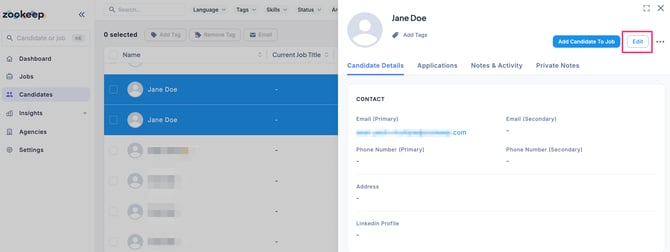
- When the candidate editing page appears, update the fields as needed and click the Save button.
💡 Enter a keyword in the search bar at the top left of the screen to quickly find candidates.
Accessing from an Application
- In the Applications tab of a Job, select the candidate’s application and click the Candidate Details tab to view their information. To edit the details, click Edit.
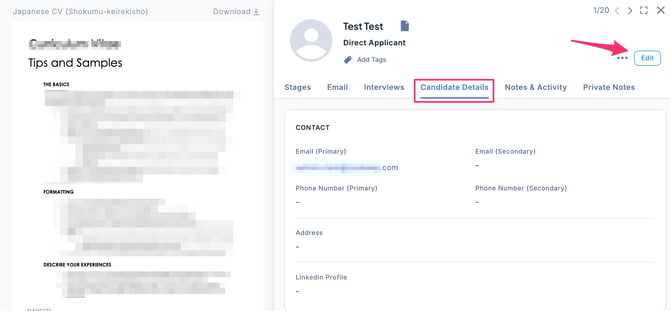
- When the candidate editing page appears, update the necessary fields and click the Save button.
💡 In the Candidate Details tab, click the … menu in the upper-right corner and select Go to Profile. This will take you to the Candidates section, where you can view the candidate’s individual profile.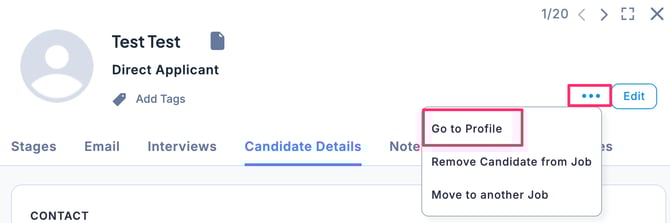
※ In the individual candidate profile, you can view the list of Jobs the candidate has applied for, along with all related notes and activities.