
To share Jobs with Agencies and receive candidate information from them, first you need to add the Agency to your favorites (My Agencies) in ZooKeep.
- In the Agencies section, click the Agency Directory tab.
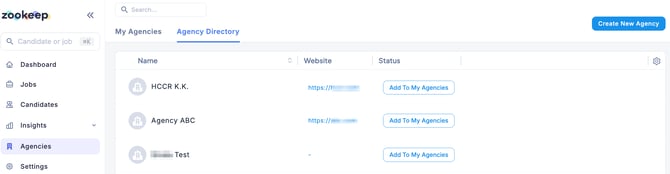
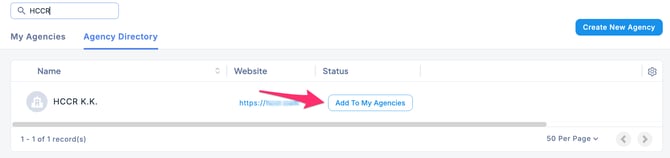
- Enter the agency name in the search box, and when the matching agency appears, click Add to My Agencies.
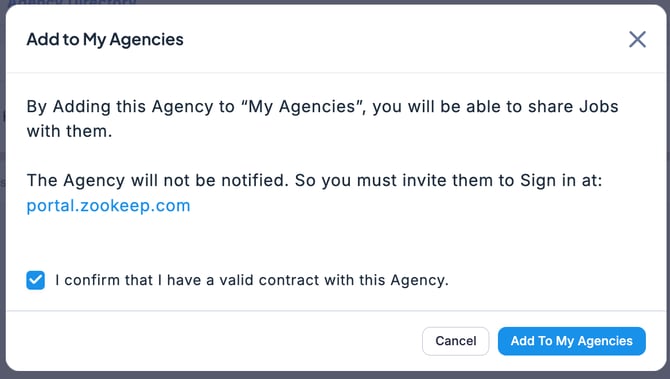
- When the Add to My Agencies screen appears, check Contracted, then click Add to My Agencies.
- The agency has now been added to your favorites and registered under My Agencies.
💡 If the agency is not listed, add it as a new entry.
Reference