
This section explains how to record an interview that has already been completed.
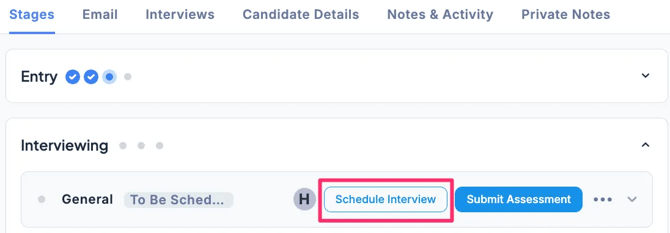
- In the Applications tab of the Job, select the candidate, then in the Stages tab under the Interviewing stage, click Schedule Interview.
-
In Scheduling Type, select Past Scheduling (Record an interview that already took place ), enter the date and time of the interview that has already taken place, and click Save.
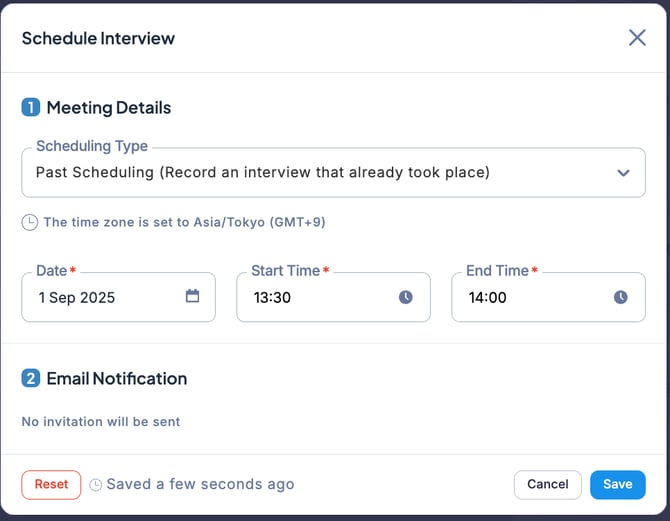
💡 With this scheduling type, no notifications will be sent.