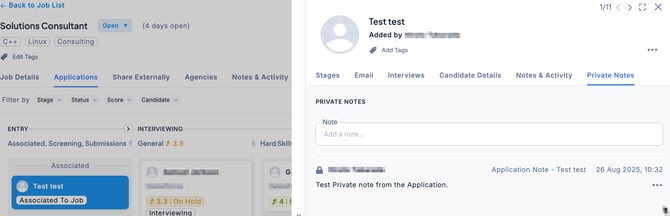
For each Job application and candidate, you can add a private note that only you can view.
If you check “Make visible to assigned Hiring Manager(s) for associated jobs”, the note will also be visible to the Hiring Manager.
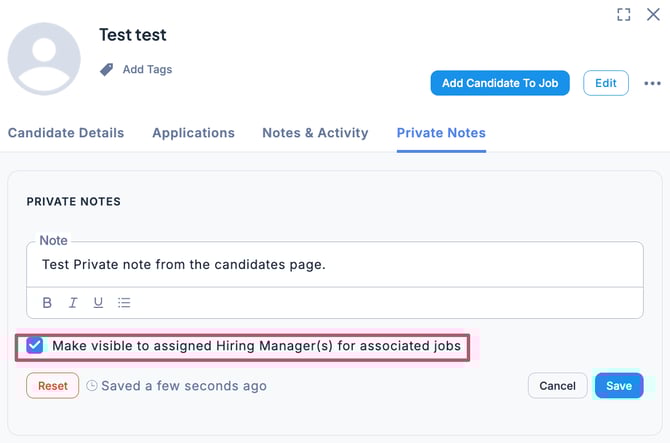
💡 This feature is useful when you want to keep information private from other users while sharing sensitive details only with specific individuals.
Add a Private Note to a Candidate’s Application
In the Applications tab of the Job, select the candidate and click the Private Notes tab. Enter the content, then click Save.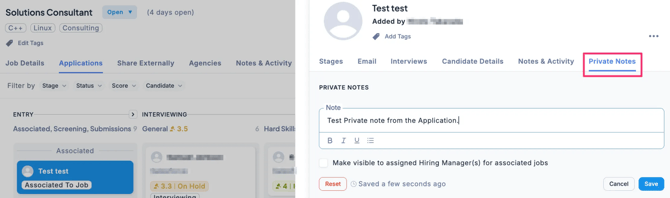
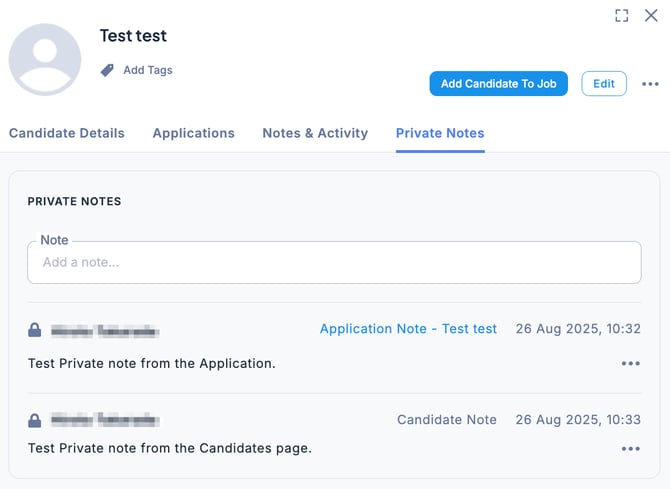
💡 Private notes registered in an application can also be viewed in the candidate’s Private Notes section.
Add a Private Note to Candidate Information
In the Candidates section, select the desired candidate and click the Private Notes tab. Enter the content, then click Save to register the note.
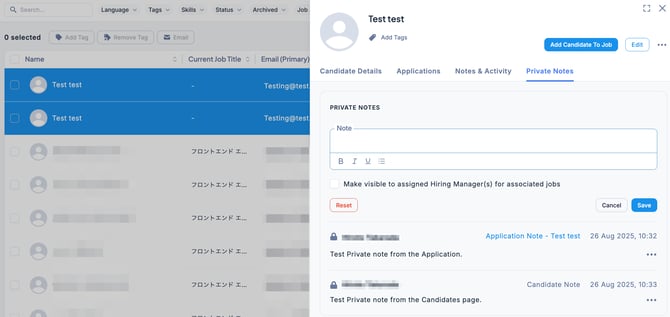
💡 Private notes registered in the candidate’s profile are not linked to applications, so they will not appear in the Private Notes section of an application.