
ZooKeep provides note-taking features throughout the system to promote team collaboration.
Add Notes to a Candidate’s Application
- In the Jobs section, go to the Applications tab of the desired Job, select the candidate, and click the Notes & Activities tab.
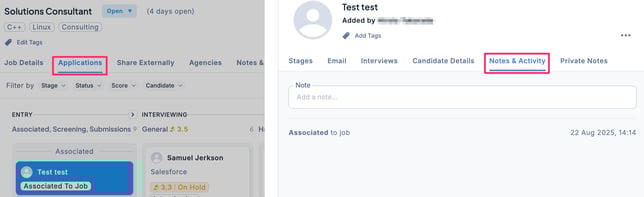
- Enter the note content and click Save.
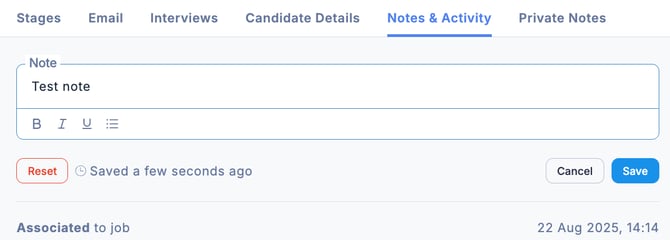
- The note has now been added.
💡 Notes registered in the application can also be viewed in the candidate’s Notes & Activities section.
Add Notes to a Job
In the Jobs section, select the desired Job and click the Notes & Activities tab. Enter the content, then click Save to register the note.
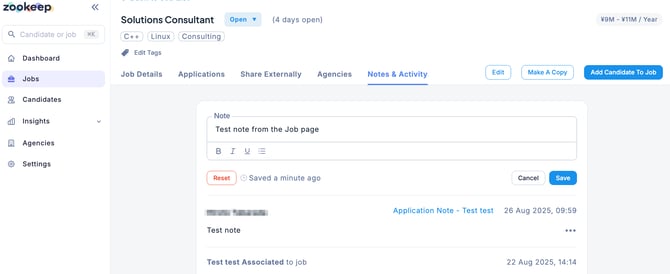
💡 Notes registered in a Job are not linked to applications or candidates, so they will not appear in the Notes & Activities sections of applications or candidate profiles.
Add Notes to Candidate Information
In the Candidates section, select the desired candidate and click the Notes & Activities tab. Enter the content, then click Save to register the note.
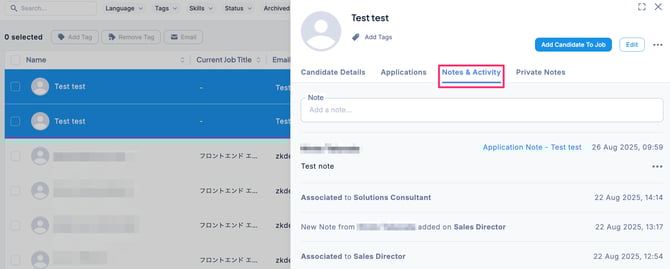
💡 Notes registered in the candidate’s profile are not linked to applications, so they will not appear in the Notes & Activities section of an application.