
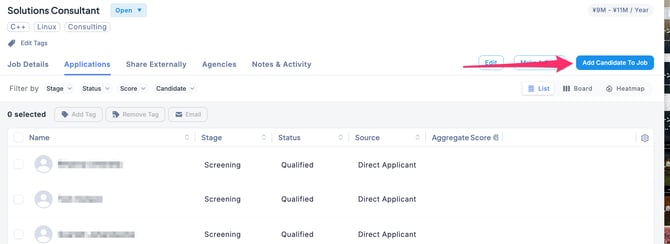
- In the Jobs section, select the desired Job and click Add Candidate to Job in the upper-right corner of the screen.
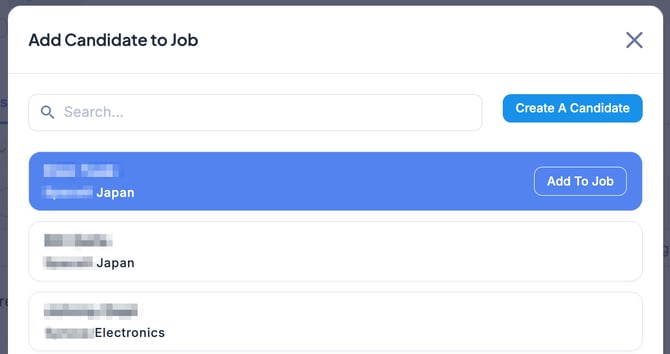
- When the window to add candidates to the Job opens, select the desired candidate and click the Add to Job button.
- Candidate Search: Use the search field to look up candidates by entering their name, current job title, or current employer.
- Create a New Candidate: Click the Create A Candidate button, fill out the required information in the form, and register the candidate. The candidate will then be added to the Job.
- The candidate has now been added to the Job. Added candidates will be marked as Applied.
