
If the text in a column is cut off and difficult to read, adjust the column width.
-
Go to one of the Jobs, Candidates, Agents, or Users tabs.
-
Drag the column borders to adjust the width, making them wider or narrower as needed.

To reset the column width to its default state, click the gear icon and select “Reset Column Size” from the menu that appears.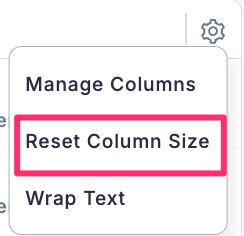
This will restore the columns to their original width.