-
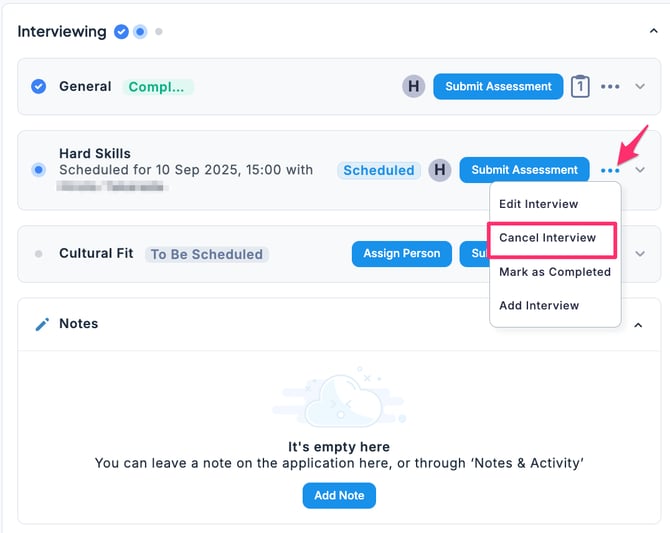
In the Applications tab of the Job, select the candidate, then in the Interviewing stage under the Stages tab, go to the Scheduled interview item, click the … menu, and select Cancel Interview.
-
Click Cancel Interview.
-
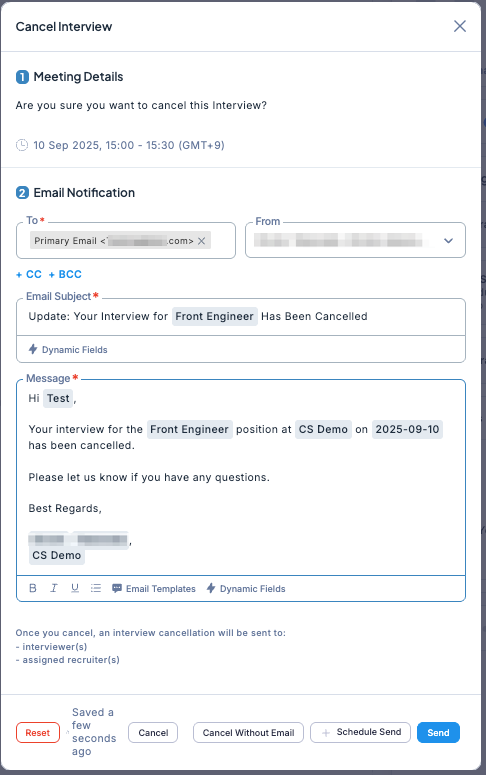
After confirming the details, click either Cancel Without Email, + Schedule Send, or Send.
The interview will be canceled, and the status will return to the scheduling stage as To Be Rescheduled.
English - United States
