
When you click the blue action button for each interview, the status will automatically update (e.g., Pending Candidate Confirmation or To Be Rescheduled).
However, you can also manually change the interview status.
This is useful when you want more detailed control over interview progress.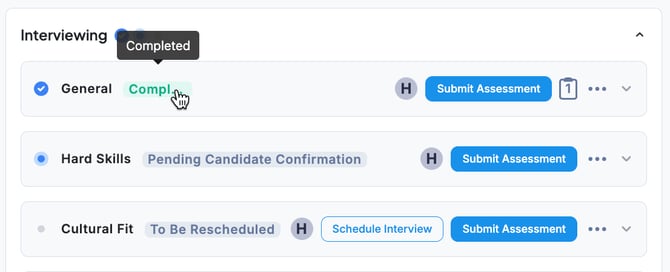
💡 The Completed mark is applied only after the interview status is set to Completed and an assessment has been submitted.
-
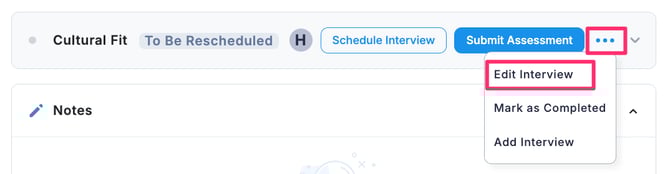
In the Stages tab, click the “… ” menu next to the interview and select Edit Interview.
-
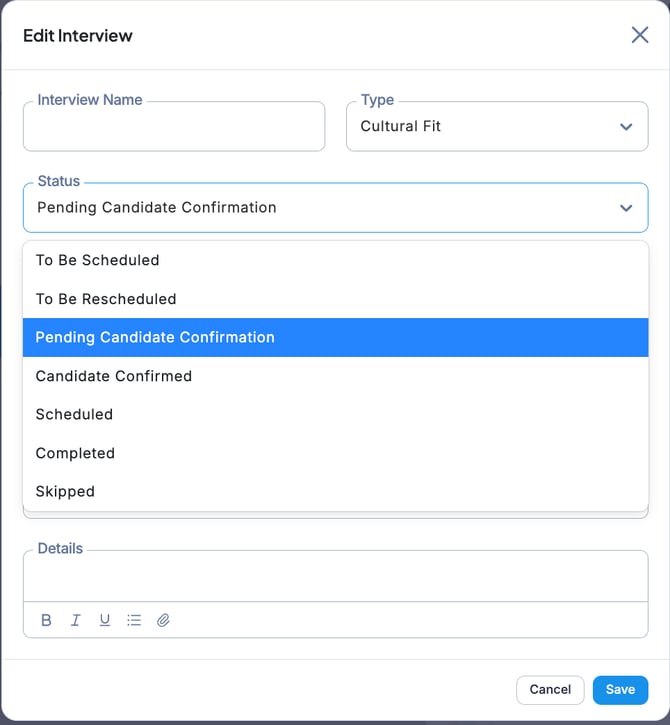
In the Edit Interview screen, open the Status dropdown menu, select the desired status, and click Save.
-
The interview status has now been updated.

💡 For details on skip interview, please refer to this section.