
ZooKeep provides a feature to detect and merge duplicate candidate profiles.
If a potential duplicate is found, an “ ! ” icon will appear next to the candidate’s name.
Click on one of the candidates, and an alert will appear as shown below.
Click the Review Duplicates button.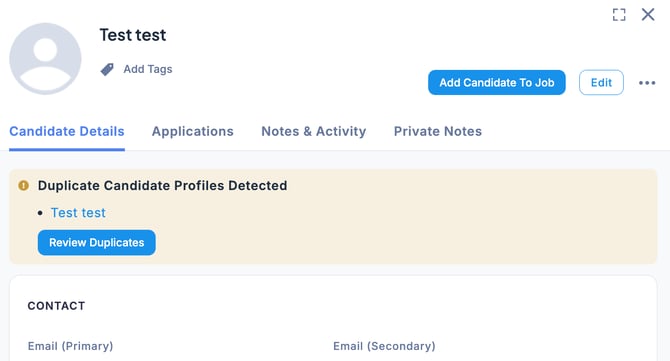
The candidate information for each profile will be displayed side by side.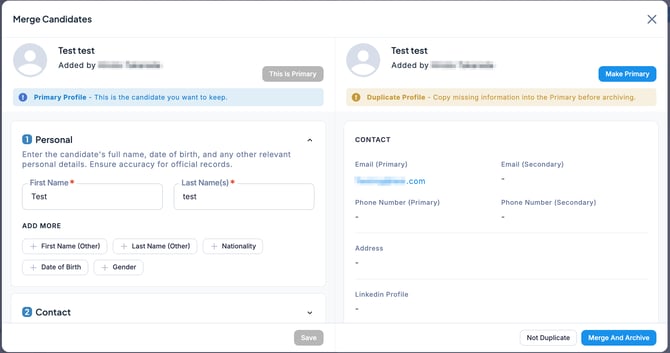
If Not a Duplicate
In the Merge Candidates screen, click Not a Duplicate at the bottom right.
If Duplicate
If the candidates are duplicates, you can choose which profile to keep as the primary one. Set the desired profile as the main record and click Merge and Archive.
The primary profile will be retained, and the other profile will be automatically archived.