
In the Jobs, Candidates, and Agents sections, you can freely customize which items are displayed in the list.
You can choose to show only the fields you use frequently, adjust column sizes, and configure the layout to suit your workflow.
-
From the displayed menu, select Manage Columns
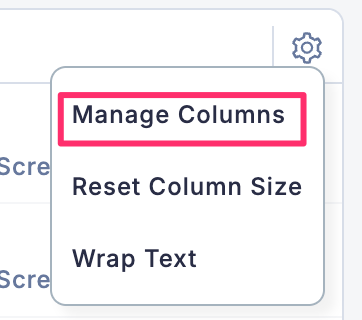
-
Default columns are preconfigured. You can choose whether to keep or remove these default items.
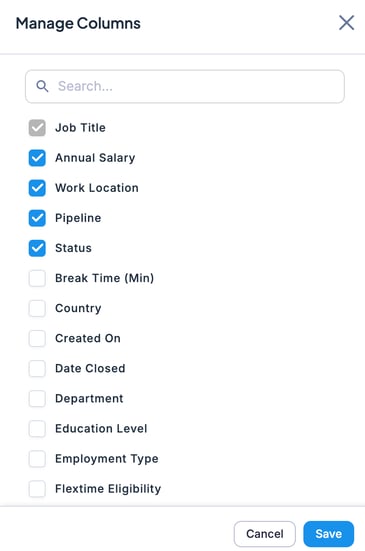
- Scroll down to view additional column options and add them as needed.
- After making your selections, click Save. If you do not want to add columns, select Cancel.
- Your column customization for Jobs, Candidates, Agents, or Users is now complete.