
In the Candidates section, you can use filters to narrow down the list of candidates displayed.
Candidates can be filtered by Language, Tags, Skills, Stage, Status, Archive Status, Applied Jobs, Current Role, Country, and Sourcing Channel.
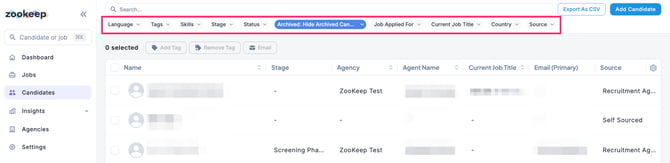
Filter by Language
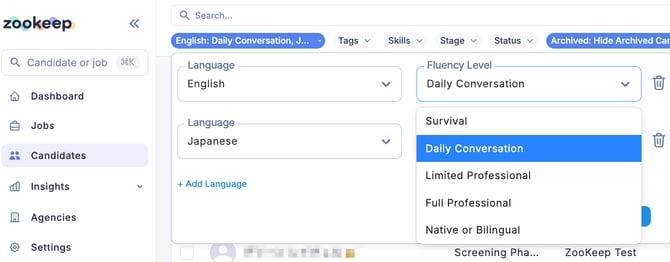
To filter candidates by language, click “+ Add Language,” select the target language, choose a Language Level, and click “Show Results.”
Candidates with the selected language level or higher will be displayed.
(Example: If you select the language level “Daily Conversation,” candidates with “Daily Conversation,” “Limited Professional,” “Full Professional,” and “Native or Bilingual” levels will be shown.)
To clear the filter, click “Reset,” then click “Show Results” again.
Filter by Tags or Skills
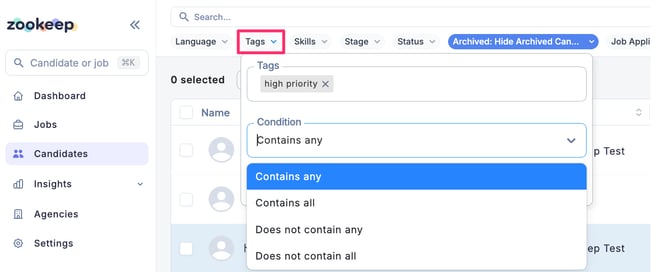
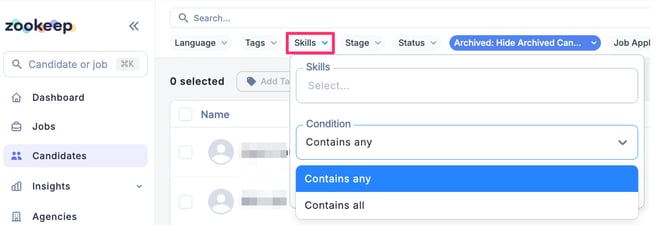
Select the tags or skills already assigned to candidates, choose a search condition, and click “Show Results.”
Candidates matching the selected conditions will be displayed.
You can choose from the following search conditions:
-
[Tags/Skills] Contains any
-
[Tags/Skills] Contains all
-
[Tags] Does not contain any
-
[Tags] Does not contain all
To clear the filter, click “Reset,” then click “Show Results” again.
Filter by Stage
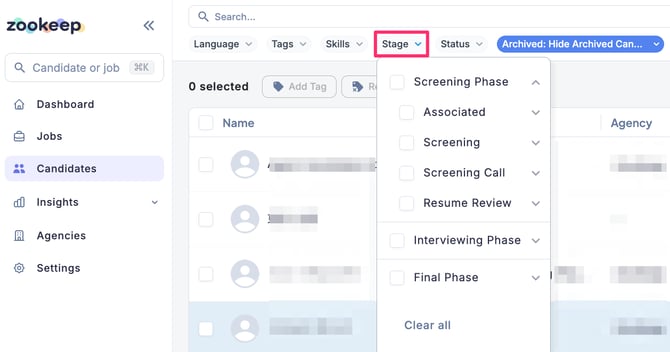
You can filter candidates by selecting one or more of the following phases:
-
Screening Phase
-
Interviewing Phase
-
Final Phase
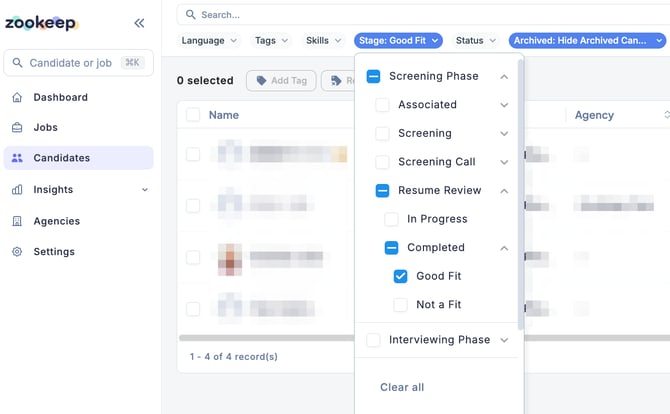
To set more detailed conditions, click the down arrow next to each phase to expand and select specific stages.
For example, if you want to view only candidates who have completed resume screening and passed the review, select the relevant checkboxes as shown below.
Only candidates that match the selected criteria will be displayed.
Filter by Status
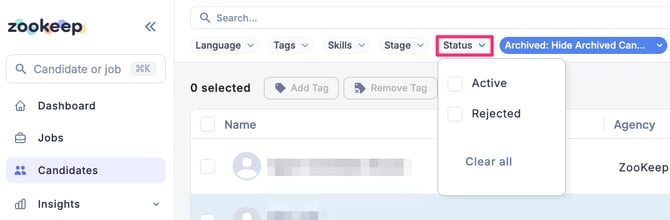
Candidate status can be filtered by:
-
Active
-
Rejected
Select the desired status to display the results.
To clear the filter, uncheck the selected options or click “Clear All.”
Filter by Archive Status
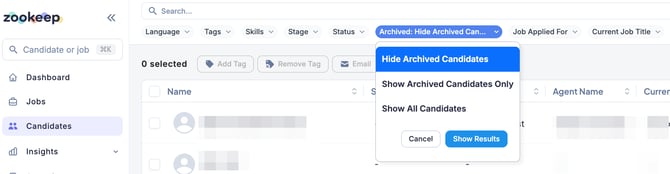
From the Archive Status dropdown, select one of the following options and click “Show Results.”
-
Hide Archived Candidates
-
Show Archived Candidates Only
-
Show All Candidates
By default, Hide Archived Candidates is selected.
Filter by Applied Jobs, Current Role, Country, or Sourcing Channel
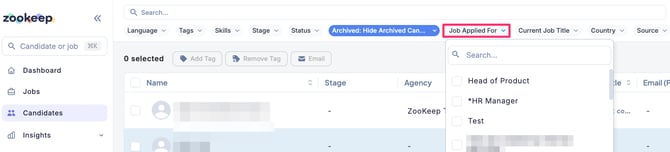
By selecting the relevant checkboxes, you can filter candidates associated with specific jobs, roles, countries, or sourcing channels.
To clear the filter, uncheck the selected options or click “Clear All.”