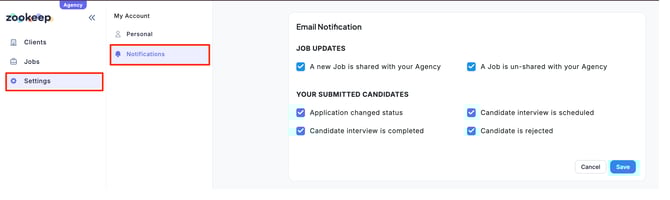
In the Agency Portal, notifications are sent when certain actions occur.
You can individually turn notifications ON or OFF based on your preferences.
Click “Settings” in the sidebar, then select “Notifications.”
After configuring your notification preferences, click “Save.”