
This setting can only be configured by Administrators.
Administrators can set the display order of names across the entire organization. This setting affects both the ZooKeep system and all notifications sent by the system.
- Last Name First (e.g., Surname Given Name)
- First Name First (e.g., Given Name Surname)
The name order applies to both candidate names and user names.
Newly created users will inherit the company’s default setting at the time of their creation.
However, each user can change their own display order in their personal settings.
- Access Company Information Settings
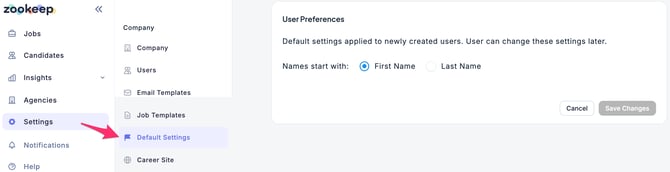
- In the Default Settings section under User Preferences, choose whether names should begin with First Name or Last Name.
For existing candidates and users already registered, changes to the name display order in Company Information Settings will not be applied. The setting only affects newly created candidates and users.