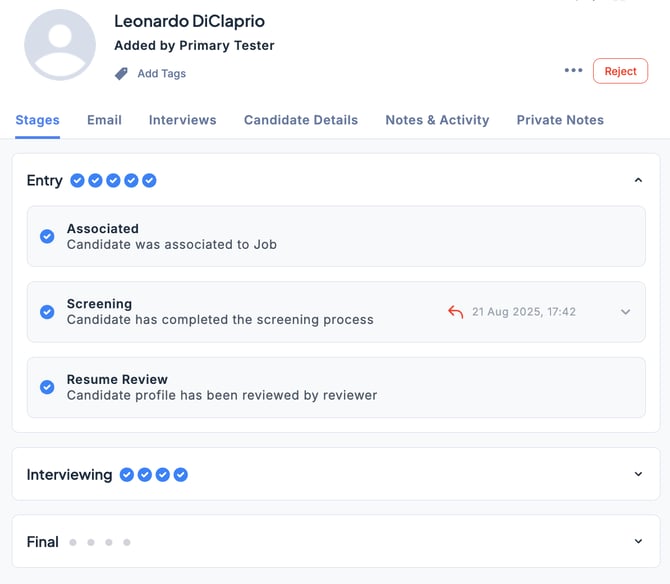
In ZooKeep, each Job pipeline is designed to be easy to understand and manage with simple operations.
You can instantly see the number of candidates and their status in each stage, helping you streamline the process and move candidates smoothly through the selection flow.
In the Jobs section, select the desired Job and click the Applications tab.
Switch the view to Board to see the pipeline organized visually, making it easier to manage.
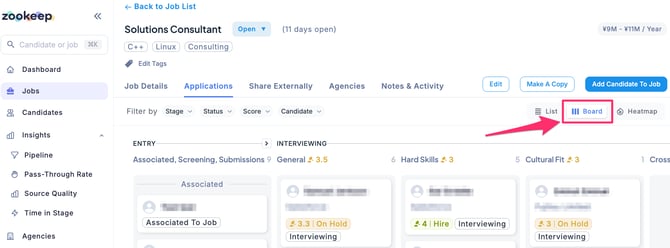
Clicking on a candidate opens their detailed information, allowing you to access related documents and manage their stage in one place. This eliminates the need to handle resumes, interview evaluations, and other materials in separate folders or spreadsheets, streamlining your workflow.
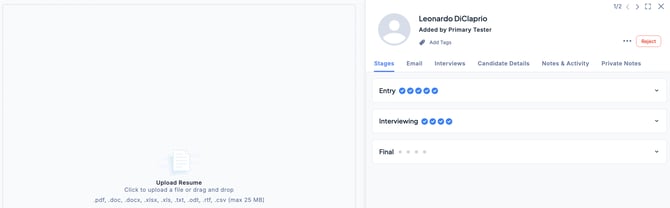
The Stages tab is divided into three phases: Entry, Interviewing, and Final Phase. Each phase displays the number of required actions and progress through icons.
By moving candidates step by step through the process, you can easily see what tasks are needed, reducing the risk of missed actions.
This also makes team collaboration smoother and ultimately improves the candidate experience.