
This section explains how to register an interview schedule in ZooKeep when the date has already been arranged with the candidate.
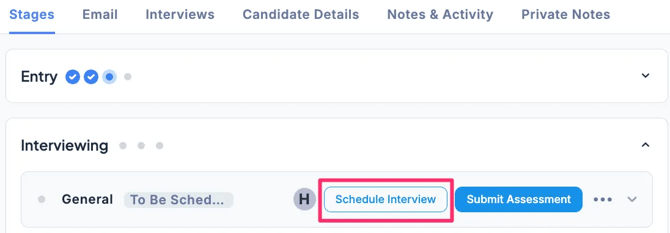
- In the Applications tab of the Job, select the candidate, then in the Stages tab under the Interviewing stage, click Schedule Interview.
-
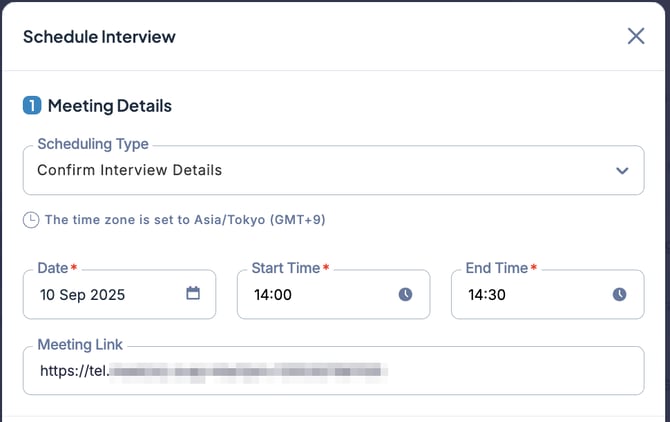
In Scheduling Type, select Confirm Interview Details and enter the interview date and time. If necessary, configure Email Notifications (to Interviewer) or Email Notifications (to Candidates), then click either Confirm Without Email, + Schedule Send, or Send.
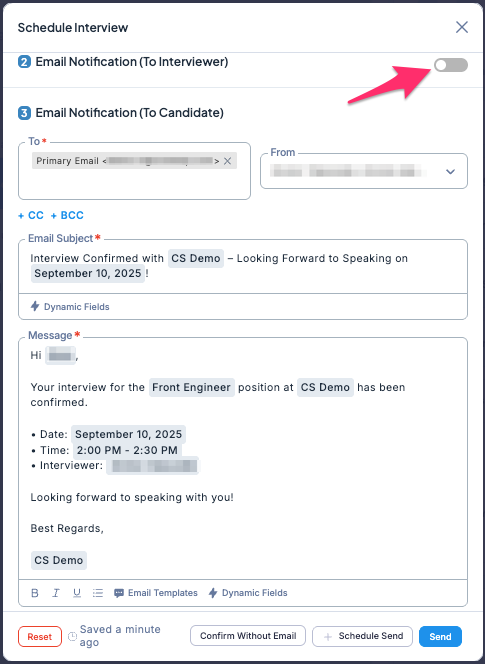
You can toggle Email Notifications (to Interviewers) on or off using the switch on the right. (Custom feature)
The image below shows the email notification to interviewers turned off.
-
If Email Notifications (to Interviewers) is turned on, email notifications of the interview schedule will be sent to the assigned interviewer as well as to the candidate.
💡 If you select Confirm Without Email, no email notifications will be sent.
Use this option when you want to register the interview schedule without sending emails.