
You can request other team members to conduct document screening for candidates in the Entry stage.
In the Applications tab of the Job, select the candidate, then go to Stages → Entry section → Resume Review, and click Submit for Review.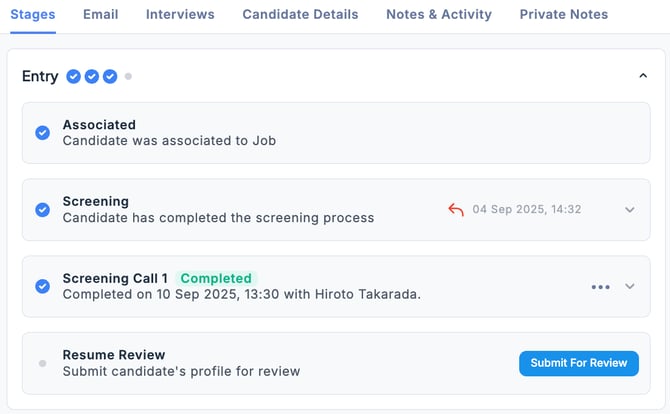
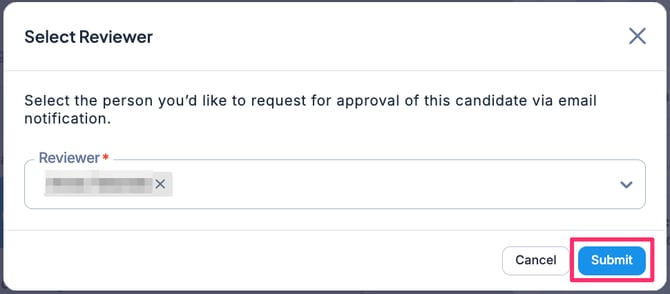
From the dropdown menu, select the person(s) you want to request the resume review from, then click Submit. (You can select multiple people if needed.)
If you want to add another reviewer or remove an assigned reviewer before approval, click the “ … ” menu as shown below and select Edit Reviewer.
💡 The review request does not have to be limited to the Hiring Manager; you can also select other users registered as part of the Hiring Team for the Job.
However, the resume reviewer must be registered as a user in ZooKeep.
After reviewing the candidate’s profile, the reviewer clicks either the Good Fit or Not A Fit button.

The document screening task is now complete.