You can send emails in bulk by selecting multiple candidates from the Candidates list or from the Applications page within a specific job.
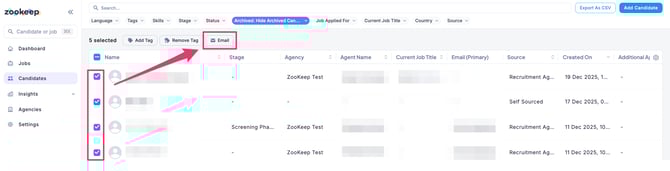
- From the Candidates section or within a specific job, select the candidates you want to email, then click “Email” at the top of the screen.
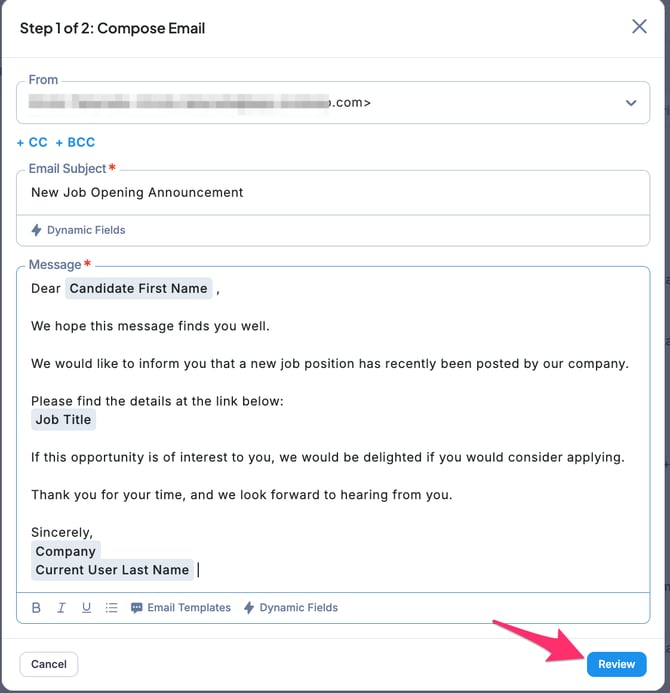
- On the Step 1/2: Compose Email screen, enter the From email address, subject, and message, then click “Review.”
- On the Step 2/2: Review screen, review the actual email content that will be sent.
If everything looks correct, click “Send” or “Schedule Send.”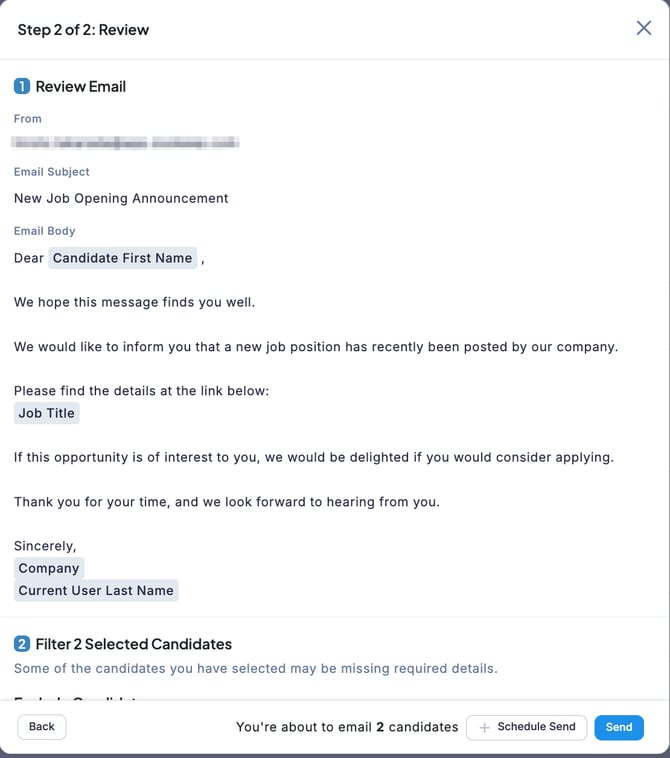
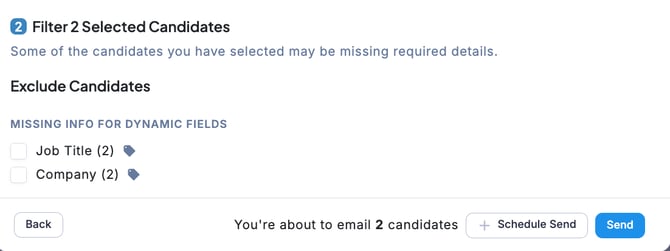
🚨 If required information for dynamic fields is missing, you can exclude candidates who are missing the required data from the recipient list before sending the email.