
About the Hiring Process
You can set a different hiring process for each Job. When creating a new Job, configure the process in the Hiring Process section.
Hiring Process Fields
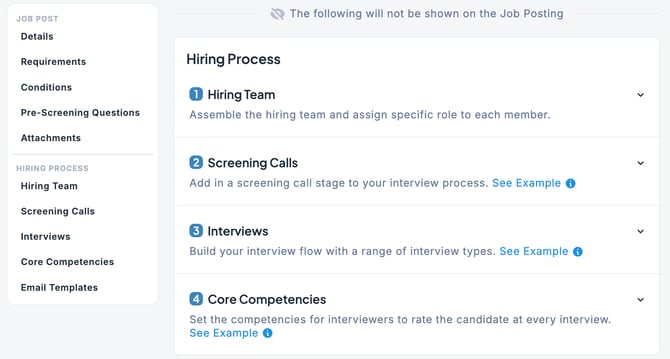
| Hiring Team | Assemble the hiring team and assign specific roles to each member. Example: - Hiring Manager: Assign a Hiring Manager to the Job. The user designated as the Hiring Manager will have full visibility into the Job and the entire hiring process. - Assign one or more recruiters and grant them permissions related to the hiring process. |
| Screening Calls | These are questions set up to efficiently screen candidates. When screening questions are configured, candidates must answer them when applying directly. |
| Interviews | Set the number of interviews for the Job (default: 3). For each interview, you can define the interview type, assign interviewers, and provide details or notes for the interviewers. If you make changes to this interview section during the hiring process, the updates will only apply to new applicants. Candidates already in the hiring pipeline will not be affected. For more details on the interview process, please refer to this section. |
| Core Competencies | Set the competencies for interviewers to rate the candidate at every interview. |