
In ZooKeep, you can individually edit a candidate’s interview process. This section explains how to delete an interview.
🚨Note: Only interviews individually added to a candidate can be deleted. Interviews predefined in the Job cannot be deleted.
💡 If you want to modify the overall interview process for the Job itself, please refer to the section below.
-
In the Applications tab of the Job, select the candidate, then click the Interviews tab.
-
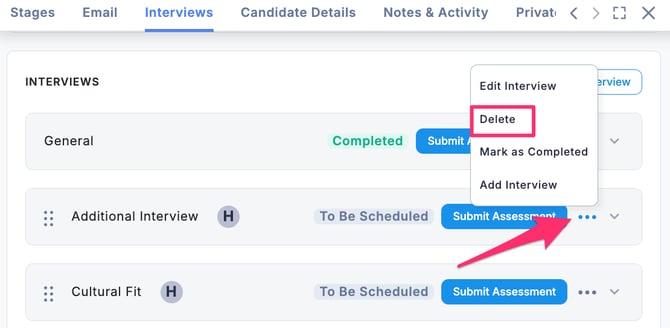
Click the “… “ button and select Delete.
-
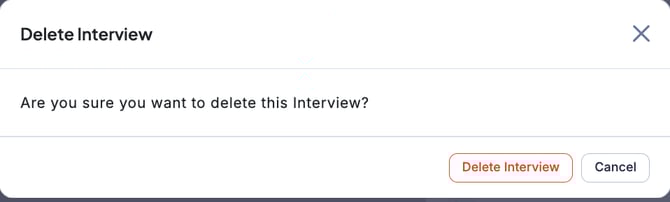
When the window opens, click the Delete Interview button to confirm.
🚨 Note: Past interviews that have already been completed cannot be deleted.
To delete a scheduled interview, you need to cancel it and then proceed with deletion.