
In ZooKeep, you can individually edit a candidate’s interview process.
This section explains how to edit an interview.
💡 If you want to modify the overall interview process for the Job itself, please refer to the section below.
- In the Applications tab of the Job, select the candidate, then click either the Stages tab or the Interviews tab.
- Click the “… “ button next to the interview you want to edit, then select Edit Interview.
When accessing from the Stages tab: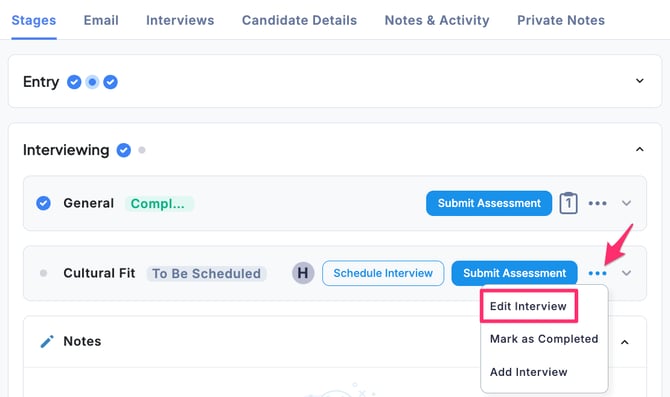
When accessing from the Interviews tab: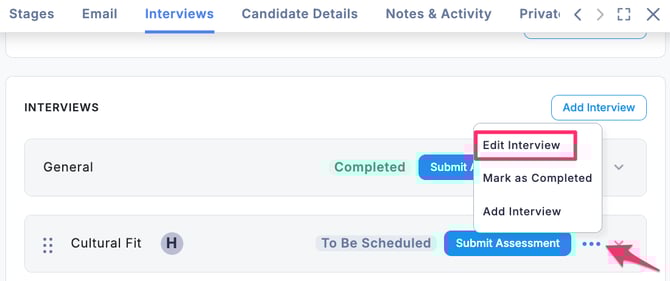
- The Edit Interview window will appear.
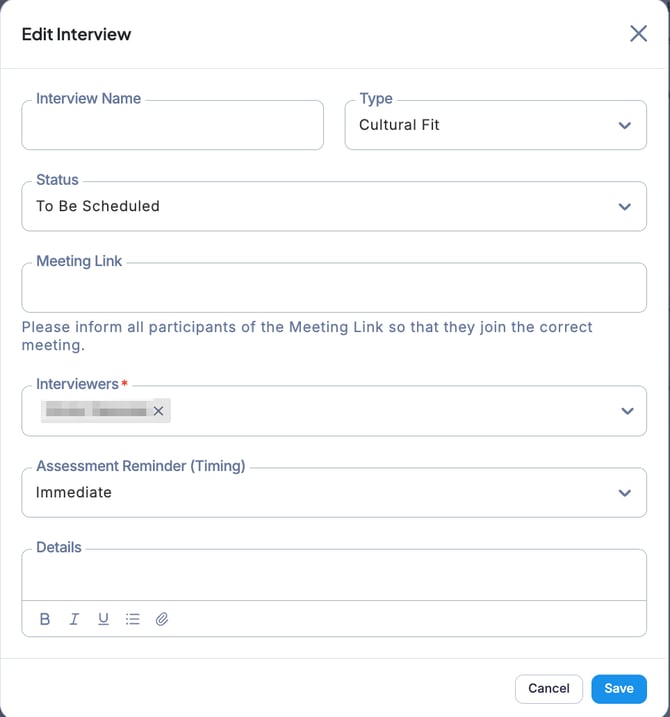
- Edit the fields as needed, then click Save.