
This setting can only be configured by administrators.
Administrators can restrict users from viewing certain jobs. This is useful when you want to limit access to sensitive job postings or control which users can view and manage them.
Job access restrictions can be set when registering a new user or applied to existing users.
Additionally, administrators can also restrict other administrators from viewing specific jobs.
💡 Administrators cannot restrict their own access to jobs. Furthermore, administrators who are restricted from viewing certain jobs will not be able to see which jobs they are restricted from.
How to Restrict Job Access for a New User
- Open the Add User edit screen
- At the bottom of the screen, click the dropdown menu labeled All Jobs Visible Except, then check the jobs you want to restrict access to.
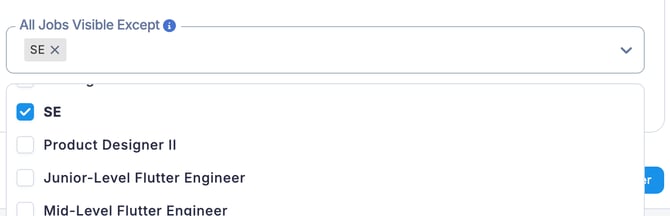
Jobs that are checked will no longer be visible to the user.
How to Restrict Job Access for an Existing User
- In the Users section, select the user you want to edit and click the Edit button.
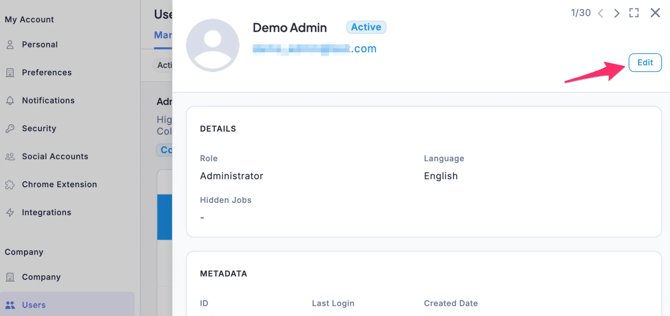
- Click the dropdown menu labeled All Jobs Visible Except, then check the jobs you want to restrict access to.
Jobs that are checked will no longer be visible to the user.