
For an agency to recommend candidates, you need to share the Job with them.
💡 To share a Job with an agency, first you need to add the agency to your favorites.
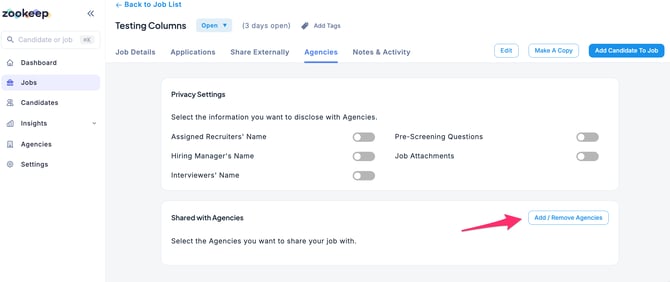
- In the Jobs section, select the Job you want to share, go to the Agencies tab, and click Add/Remove Agencies.
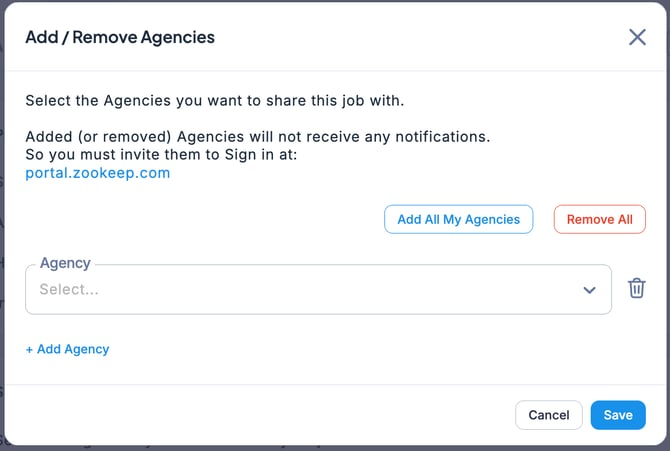
- When the Add/Remove Agencies screen appears, select the desired agency from the Recruitment Agencies dropdown menu or click Add All Agencies. Once selected, click Save.
- The Job has now been shared with the agency.
💡 When sharing a Job, you can also configure which information will be visible to the agency. By default, all options are turned off, but you can enable them as needed.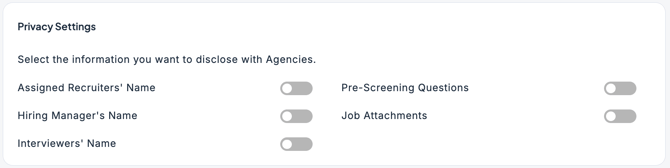
Reference